
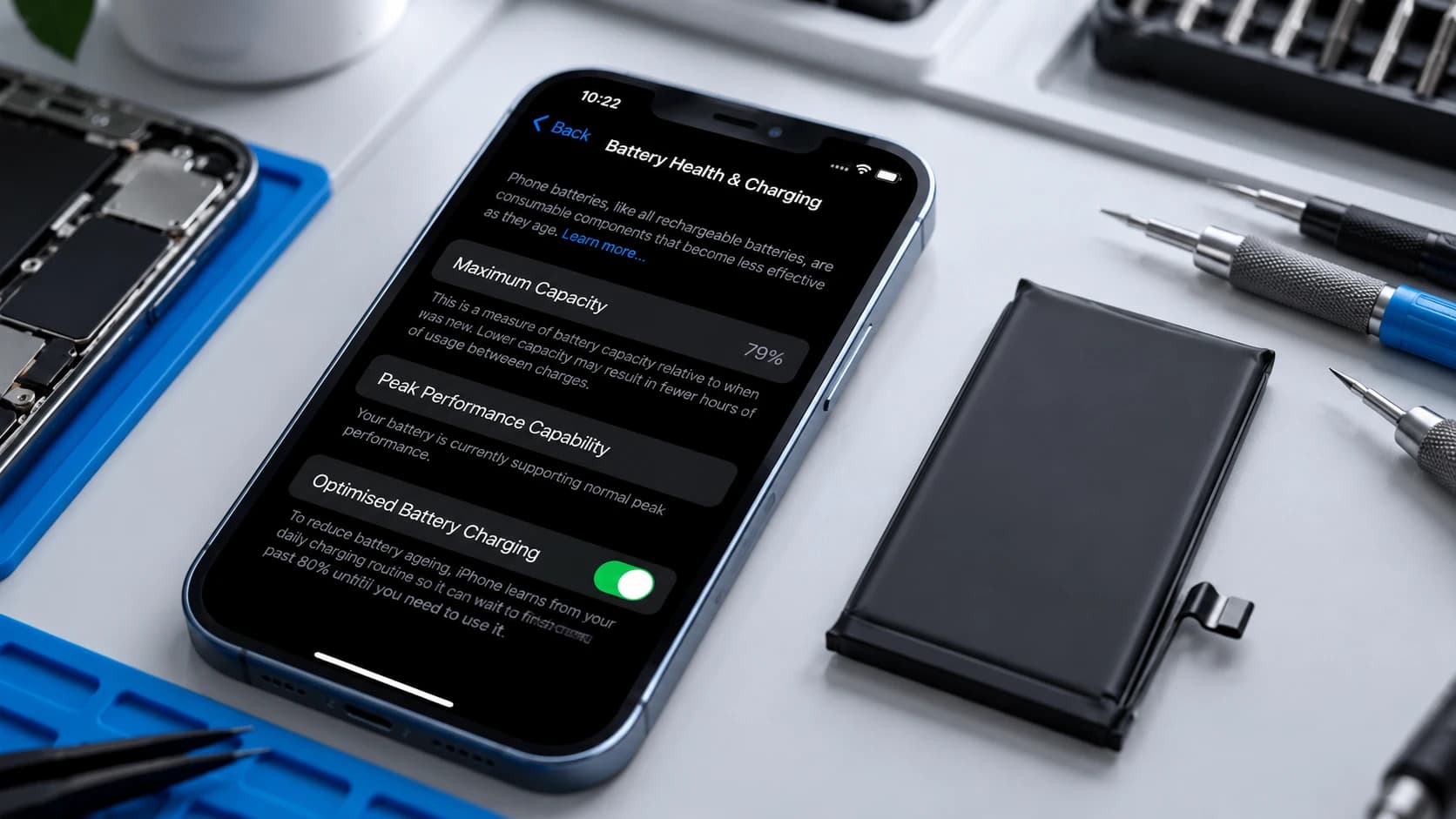
You do not need to wait for exactly 80% Battery Health to replace an iPhone battery. The better question is whether the phone still lasts long enough for you, whether it shuts down unexpectedly, and whether another fault could explain the drain. A swollen battery needs prompt professional assessment regardless of the percentage.
When is replacement worth considering?
80% is a useful benchmark, not an automatic on/off switch. An iPhone showing 84% Maximum Capacity but needing three charges a day may be a reasonable replacement candidate. Someone near 79–80% whose phone still comfortably meets their needs need not feel rushed by the number alone. Do take an Apple service recommendation seriously, and weigh it alongside real-world battery life, unexpected shutdowns, abnormal drain, heat and device condition.
What does Apple's 80% figure mean?
Apple describes batteries as consumable components. Under ideal conditions, iPhone 14 and earlier batteries are designed to retain 80% of original capacity after 500 complete charge cycles; iPhone 15 and later batteries are designed to retain 80% after 1,000 complete cycles. Actual capacity depends on use and charging. These are design benchmarks, not an instruction that every phone must have its battery replaced at 80%. iPhone 15 and later can also display cycle count and additional battery information.
What can improve after a battery replacement?
The main expected improvement is battery runtime. Apple also documents that battery ageing can affect performance, so a phone with a severely degraded battery may feel more responsive after replacement. A new battery is not a general speed upgrade, and we cannot promise a performance gain for every phone.
What does Apple Repair Assistant actually do?
Apple says Repair Assistantinstalls calibration data after a part replacement to finish the repair. On supported phones, the current process calls for the latest supported iOS, Wi-Fi, more than 20% charge, then Settings → General → About → Parts & Service History → Restart & Finish Repair. This is calibration/configuration, not a diagnosis of why the old battery drained or whether every other part in the phone works.
Completing Apple Repair Assistant configuration does not mean Apple certified, approved or endorsed an aftermarket replacement battery. It reports a configuration outcome, not an Apple affiliation or a blanket quality verdict.
Which iPhones support battery Repair Assistant?
Apple's support list and our workshop experience answer different questions. The Apple column below follows its current Repair Assistant support page; the other column covers only configurations Ali Mobile has completed with the specific replacement batteries we currently use. “Not claimed” does not mean a model cannot be repaired.
| iPhone generation | Apple supports Battery Repair Assistant | Ali Mobile workshop-tested with current replacement setup |
|---|---|---|
| iPhone 12 | Yes | Yes |
| iPhone 13 | Yes | Yes |
| iPhone 14 | Yes | Yes |
| iPhone 15 | Yes | Yes |
| iPhone 16 | Yes | Yes |
| iPhone 17 | Yes | Yes |
| iPhone SE (3rd generation) | Yes | Not claimed |
| iPhone 11 and earlier / older SE | No battery support listed | Not claimed |
| iPhone 18 and later | Yes (iPhone 16 and later) | Not claimed |
Can an aftermarket battery complete Repair Assistant configuration?
Yes, with the specific replacement batteries we currently use, we have successfully completed Repair Assistant configuration on iPhone 12 through iPhone 17 repairs. This is Ali Mobile workshop experience, not an Apple claim about every aftermarket battery or a promise that configuration will succeed on every device.
What might Battery Health and Parts & Service History show?
Look at the phone's actual display; do not treat one label as the whole diagnosis. In repairs we have completed with our current replacement setup, we have observed Battery Health displaying normally, including 100% Maximum Capacity in successful results. On tested iPhone 15-series and later devices, iOS has reported 100% Maximum Capacity and 0 cycles after successful configuration. These device-reported workshop observations are not a guarantee for every repair or future iOS version.
Apple's Parts & Service History guide explains the system labels: Genuine means the repair was completed using genuine Apple parts and processes; Used means a part was already used or installed in another iPhone; Unknown can have several causes, including a nongenuine part, a part not working as expected, one not verified or linked, or a modified or unverifiable part; and Finish Repair means applicable repair configuration has not yet been completed. Apple also explains why battery-health information for an unverified battery may not be accurate.
In repairs we have completed with our current replacement battery setup, iOS has displayed Usedafter successful Repair Assistant configuration. We report the status as shown by iOS, not as our own definition or proof of the replacement cell's origin, age or quality. Equally, Unknown alone does not establish why a part received that label.
Why can Repair Assistant configuration fail?
A failed configuration does not automatically prove the new battery is faulty. In our workshop testing, we have completed screen-and-battery repairs where both parts configured successfully. In another repair, the battery was normally capable of configuration, but the newly replaced screen could not complete it and both configurations then failed. In a separate case, a non-configurable third-party display had been fitted about a month earlier, yet a later compatible battery replacement did complete configuration.
The configuration state and history of other repaired parts can be worth checking, but we do not yet have enough repeat cases to treat either outcome as a fixed rule or to claim a mechanism. It is one diagnostic consideration, not a reason to assume a particular screen always blocks a battery.
What do we check before replacing the battery?
We check the symptom before deciding the battery is the fault.Short runtime can also involve software or background activity, charging problems, unusual heat, liquid damage, board-level issues or another device fault. Battery Health, charge frequency, shutdown behaviour and the phone's condition help guide assessment; a replacement part is not the right answer to every drain complaint.
What if the battery is swollen?
Do not wait for a Battery Health threshold. Stop normal use, avoid charging or using the phone unnecessarily, and arrange professional assessment or replacement promptly. Swelling takes priority over the percentage shown in Settings.
Practical questions before a battery repair
Will replacing the battery erase my data?
A normal battery replacement does not usually require the iPhone to be erased, but we still recommend having a current backup before any electronic-device repair.
Will the phone keep its factory water resistance?
We reinstall the appropriate adhesive as part of the repair, but an opened device cannot be promised to retain the same factory water-resistance rating.
How long does it take, and is there a warranty?
Standard iPhone battery replacement takes around 30 minutes, depending on the model, condition, parts and current workload. Ali Mobile's standard repair warranty for this service is 6 months, subject to the applicable warranty terms. This is in addition to rights that may apply under the Australian Consumer Law.
Need advice about your iPhone?
If battery life has become disruptive, start with our battery replacement service and choose your model for current repair information. Ali Mobile can assess your iPhone at our Ringwood workshop before you decide whether a battery replacement makes sense.
Ali Mobile is an independent repair business and is not affiliated with or endorsed by Apple. Apple and iPhone are trademarks of Apple Inc.