
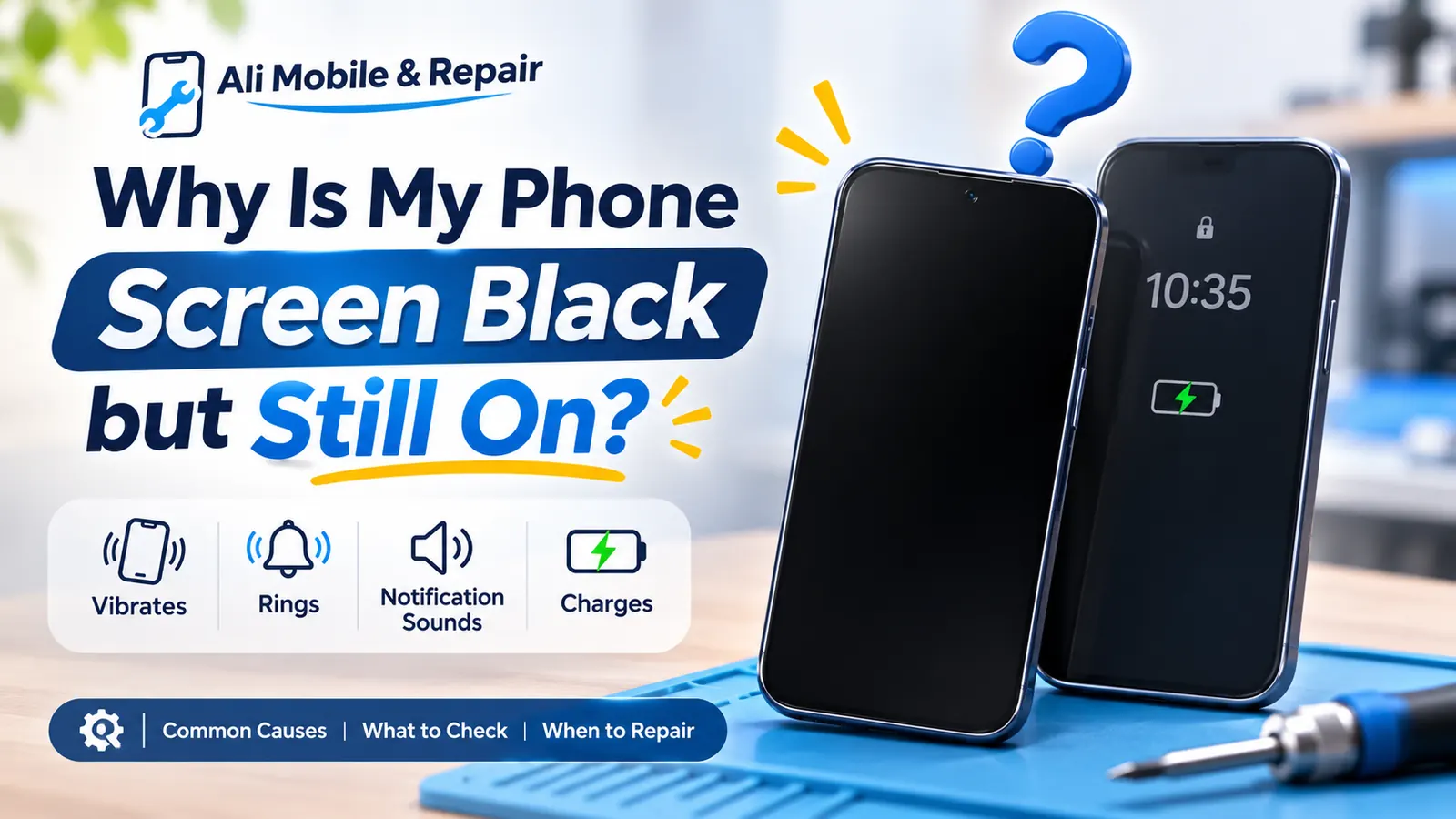
Quick answer
Why can my phone still work with a black screen?
Your phone can still ring, vibrate or trigger alarms because the device may be running normally behind a display that is no longer producing an image. The fault could be the OLED/LCD panel or its connection, but software, liquid, battery, power and board-level faults can cause similar symptoms.
Do not assume that every black screen needs a screen replacement. The response and display need to be tested first.
What you may notice
What does your black-screen symptom mean?
These common descriptions help narrow the checks, but several faults can produce the same symptom.
My phone screen is black but it still rings
The phone may still be running while the display assembly is no longer producing a visible image. A failed OLED/LCD panel or damaged display connection is possible, but testing is needed.
My alarm works but there is no display
An alarm can continue because the operating system, speaker and other internal functions are active even when the screen cannot show an image.
My phone vibrates but the screen stays black
Vibration shows that at least part of the phone is responding. It does not, by itself, prove whether the fault is the screen, its connection, power delivery or the main board.
Half my phone screen is black
A black section, coloured lines, ink-like patches or flickering often points to physical damage inside the display panel, even if part of the image still works.
My screen is black but the glass isn't cracked
The outer glass can look intact while the OLED/LCD layer underneath is damaged by impact, pressure, liquid or an internal connection fault.
Our workshop process
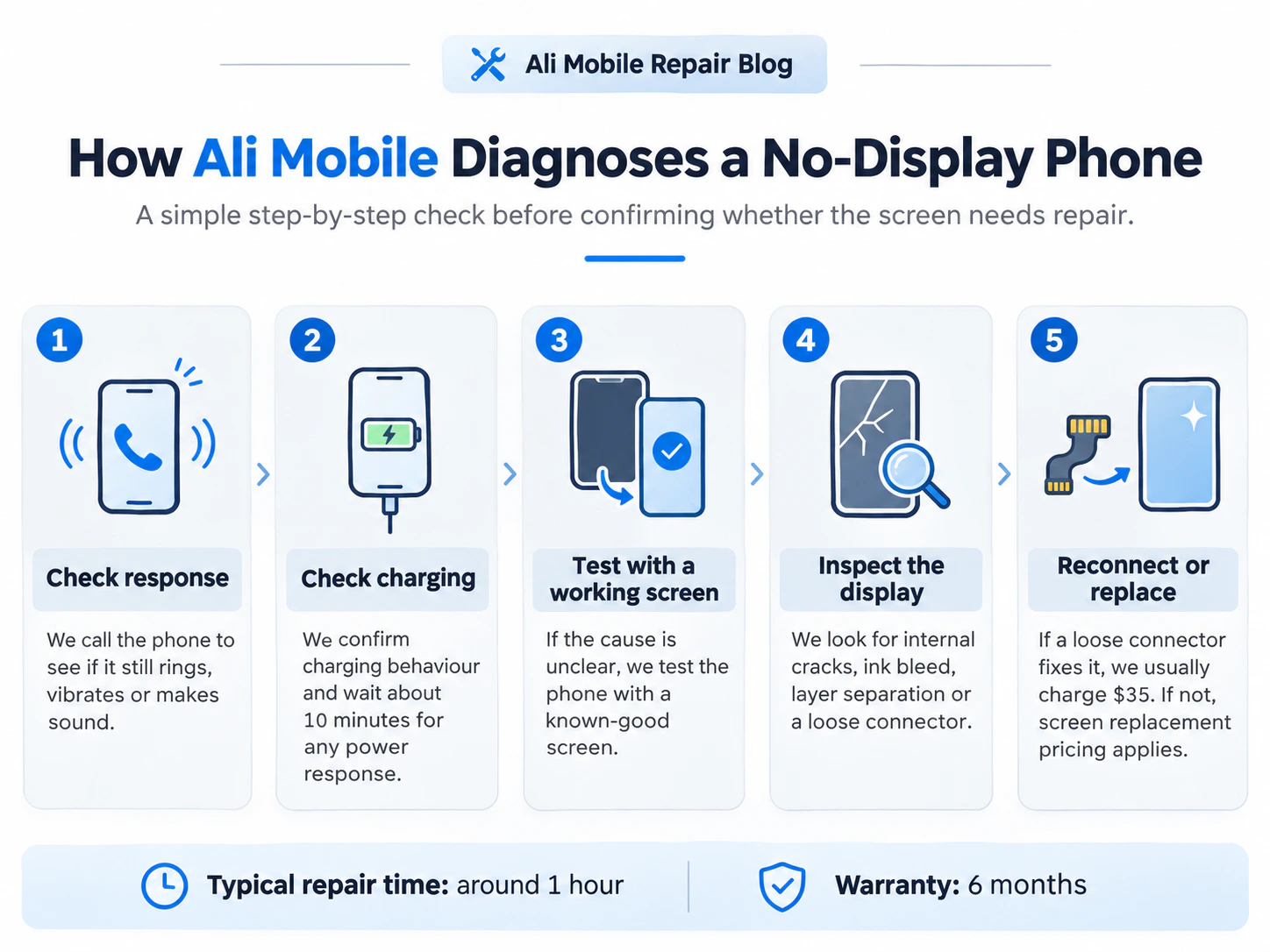
How Ali Mobile diagnoses a no-display phone
We confirm what the phone is doing before recommending a screen. A test display can support the diagnosis, but it does not independently prove every underlying cause.
Check the response
Ringing, vibration or sound. We call the phone and check whether it still responds.
Check charging and power
Charging current / approximately 10 minutes. When it is safe, we check charging behaviour and current draw, allow a flat battery time to respond, and attempt a model-appropriate restart.
Test with a known-good display
Known-good test display. When the cause remains unclear, we may connect a compatible working display using the correct professional procedure.
Inspect the display and connection
Internal cracks, ink bleed and loose connections. Using a strong inspection light where helpful, we check for internal panel damage, display bleeding, layer separation, pressure damage and visible connector problems.
Reconnect, replace or investigate further
Loose connector: usually $35. This conditional price applies only when a loose display connector is confirmed and reconnecting it restores normal operation; it is not a universal diagnostic fee or guaranteed solution. A damaged panel generally needs a display assembly; other results may require board-level or power diagnosis.
Common causes
Why phone displays go black
A black display is a symptom. The correct repair depends on whether the panel, connection, software or another circuit has failed.
OLED or LCD panel damage
Impact or pressure can damage the image-producing layer without breaking the outer glass. OLED damage can create black areas, bright lines, flashes or a completely blank display. A physically damaged internal panel normally requires replacement of the relevant display assembly.
Display flex or connection damage
A loose, torn or damaged display flex or connector can interrupt the image. Reconnecting can help only where the connection itself is the confirmed problem; it cannot repair a cracked panel.
Software fault
A stalled operating system or failed update can sometimes leave a phone responsive with no usable display. A model-appropriate forced restart is a sensible first check when the device is safe to operate.
Liquid exposure
Moisture can affect the screen, connectors, power circuits or main board. Continued charging can be unsafe when liquid exposure, corrosion, heat or battery damage is suspected.
Battery, power or board-level issue
A weak battery, power-management fault or main-board problem can resemble a screen failure. These faults need a different repair path, so screen replacement should not be assumed before testing.
Before repair
Safe checks you can try
Stop if the phone is hot, swollen, wet, smoking or visibly damaged around the battery. Do not keep charging or repeatedly power-test a device when an electrical hazard is suspected.
- Call the phone from another device and listen for ringing, vibration or notification sounds.
- If it is dry, cool and undamaged, connect a known-working compatible charger and allow a deeply discharged battery about 10 minutes to respond.
- Try the manufacturer's model-appropriate forced restart without repeatedly guessing button combinations.
- Look for faint images, coloured lines, flashes, black patches or a working section of the display without pressing or bending the screen.
- If the phone remains blank, arrange diagnosis rather than opening it or disconnecting the battery yourself.
See official restart guidance from Apple, Samsung or Google Pixel for the exact device controls.
Real workshop examples
Three genuine screen replacement cases
These are Ali Mobile repair photographs. Each case shows the visible symptom and the screen replacement outcome without claiming unrecorded diagnostic findings.
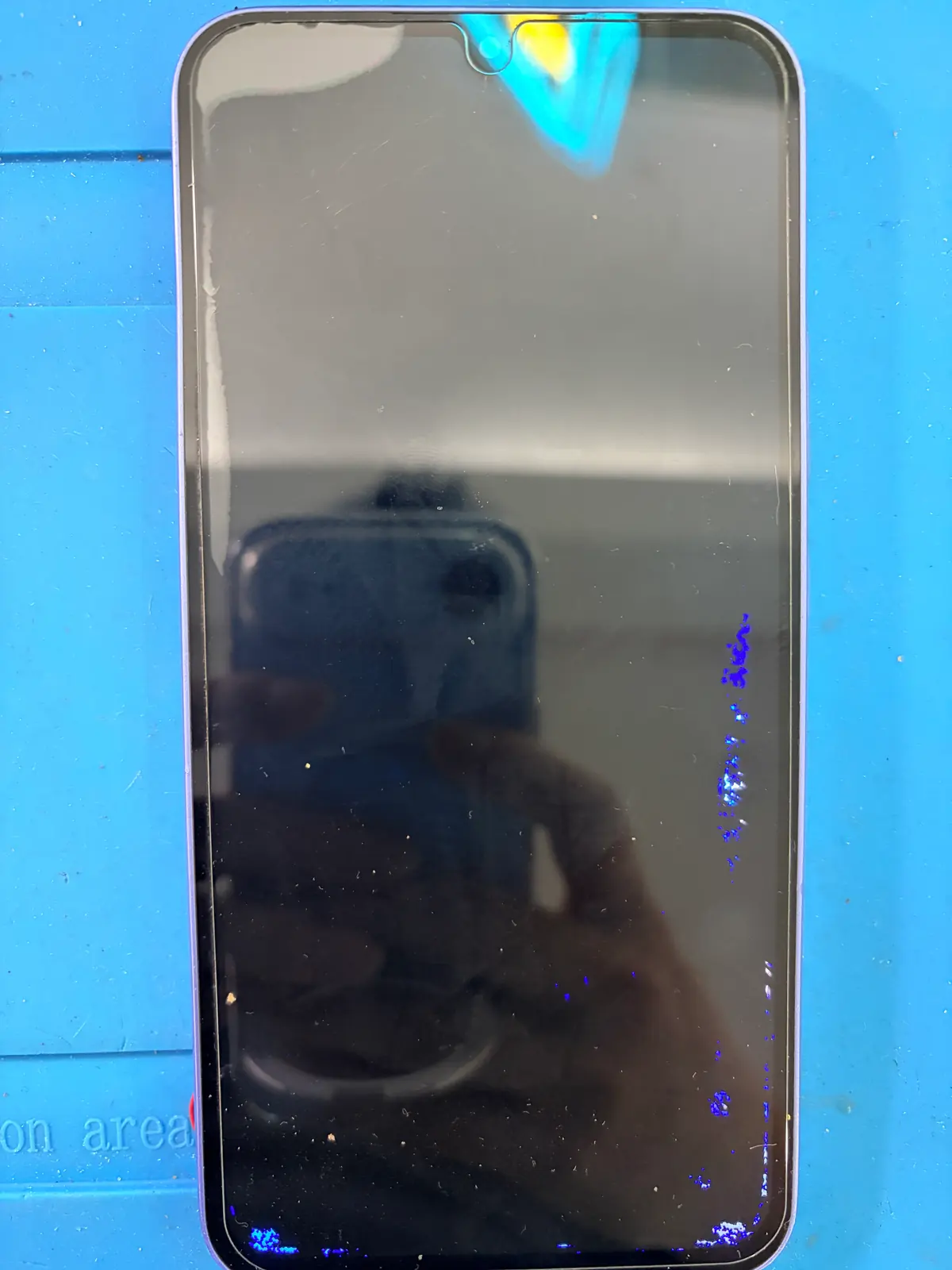
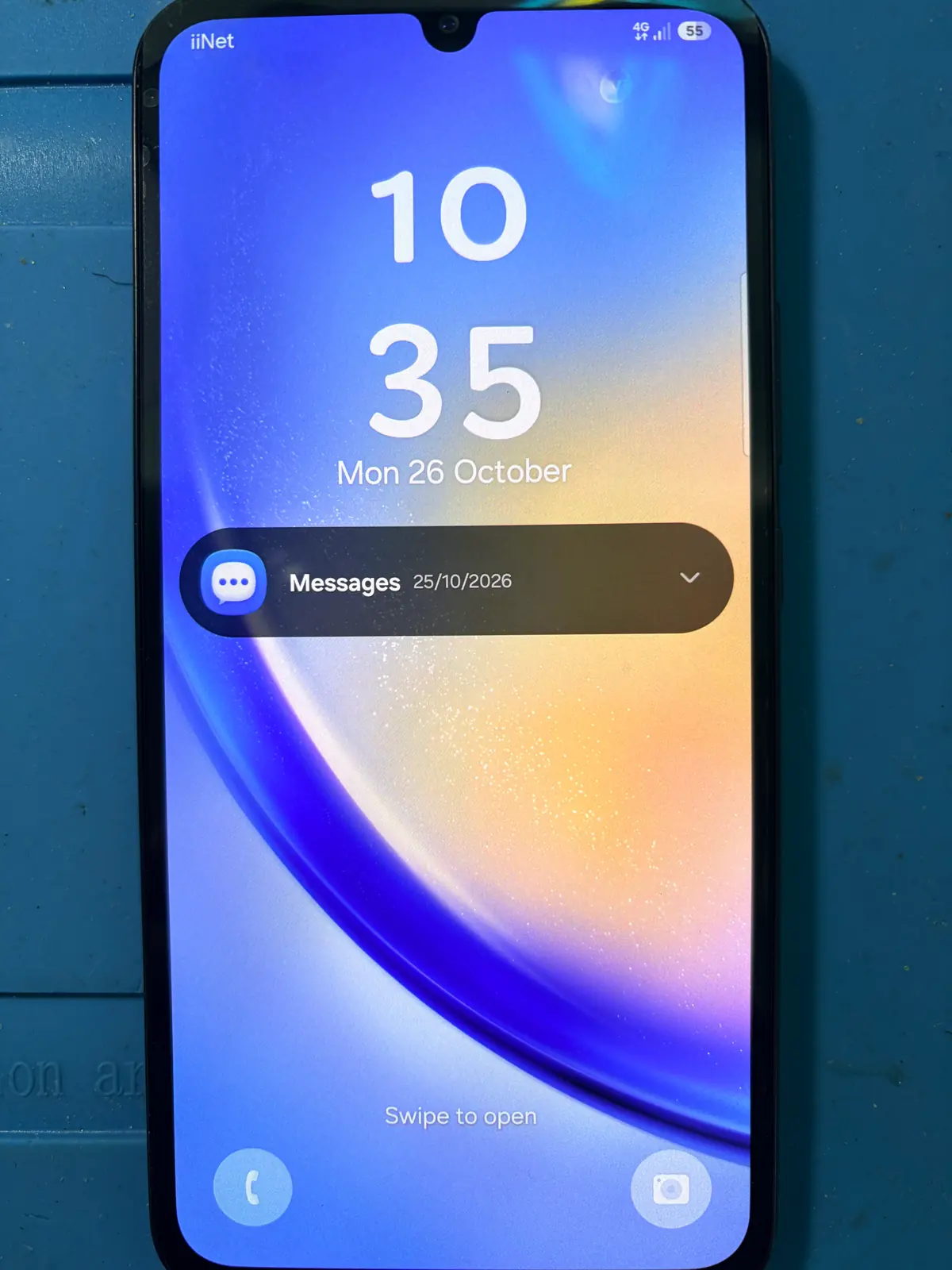
Samsung Galaxy A15
This Galaxy A15 arrived with a mostly black display and blue/purple abnormalities along the damaged image area. The photographs show the failed display before repair and a working replacement screen after the screen replacement.
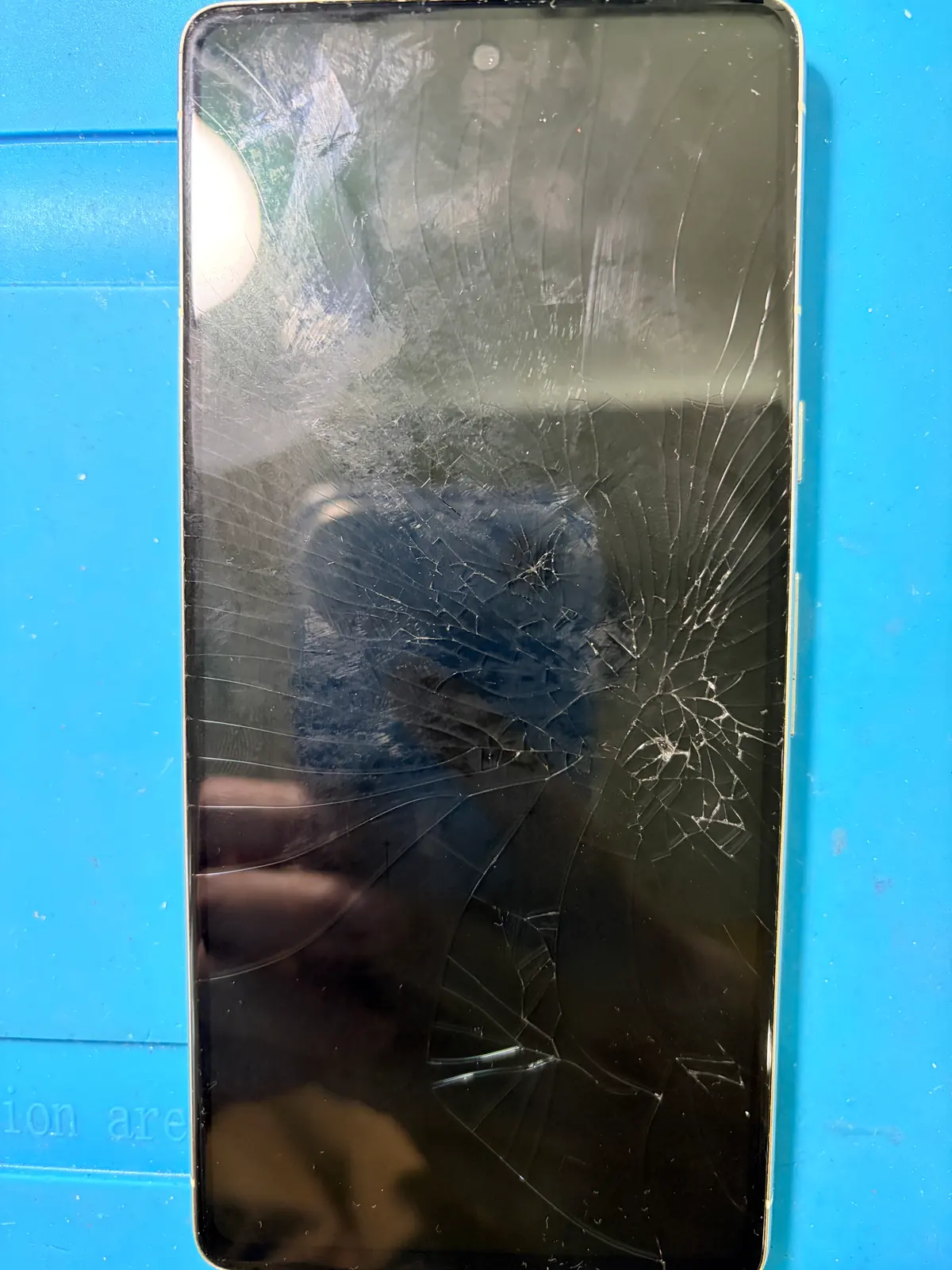
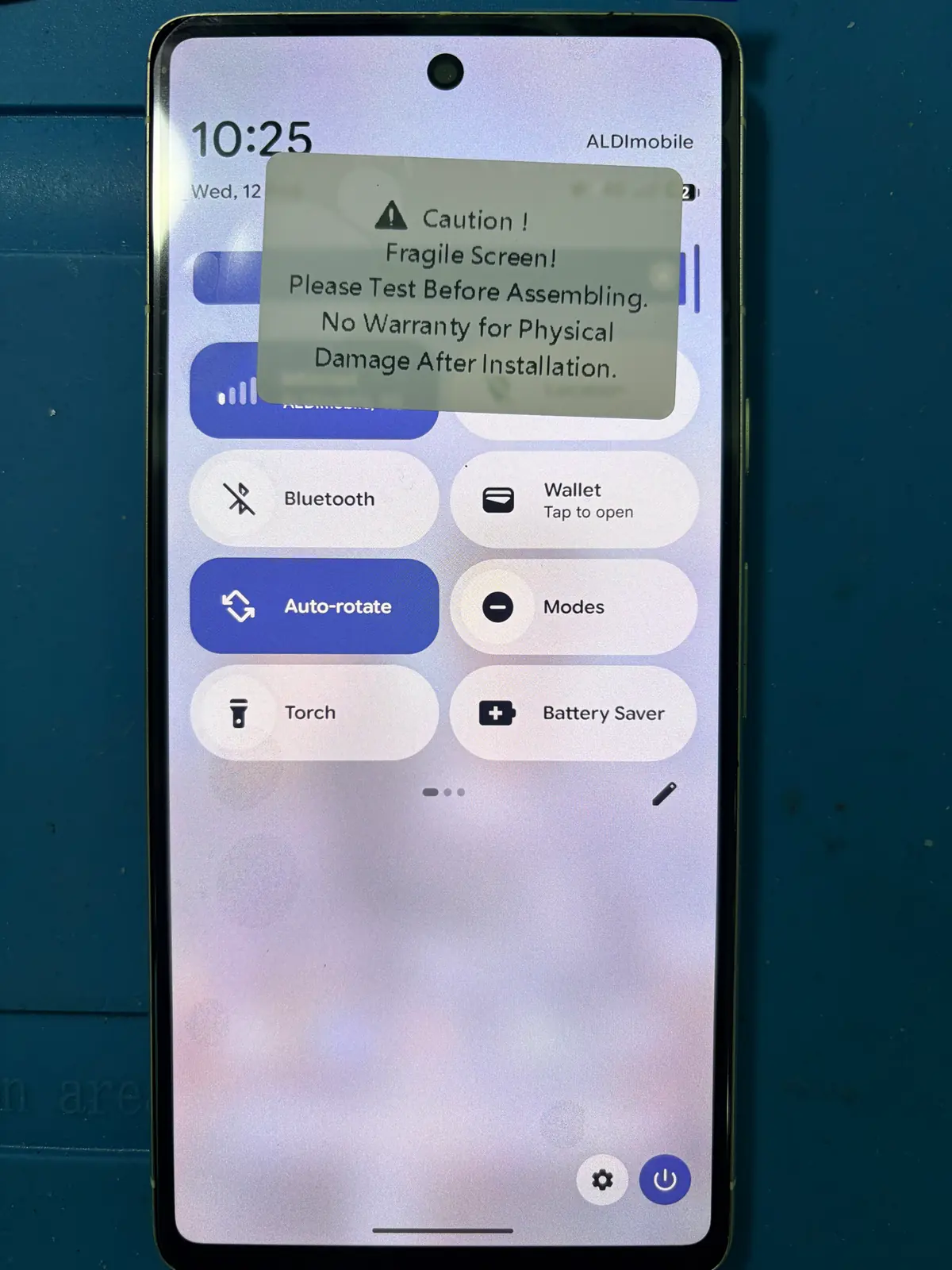
Google Pixel 7
This owner-confirmed Pixel 7 had a physically damaged screen with display failure. A replacement screen restored a visible working image. The after photo was taken during testing and still shows the temporary screen-protection label used at that stage.
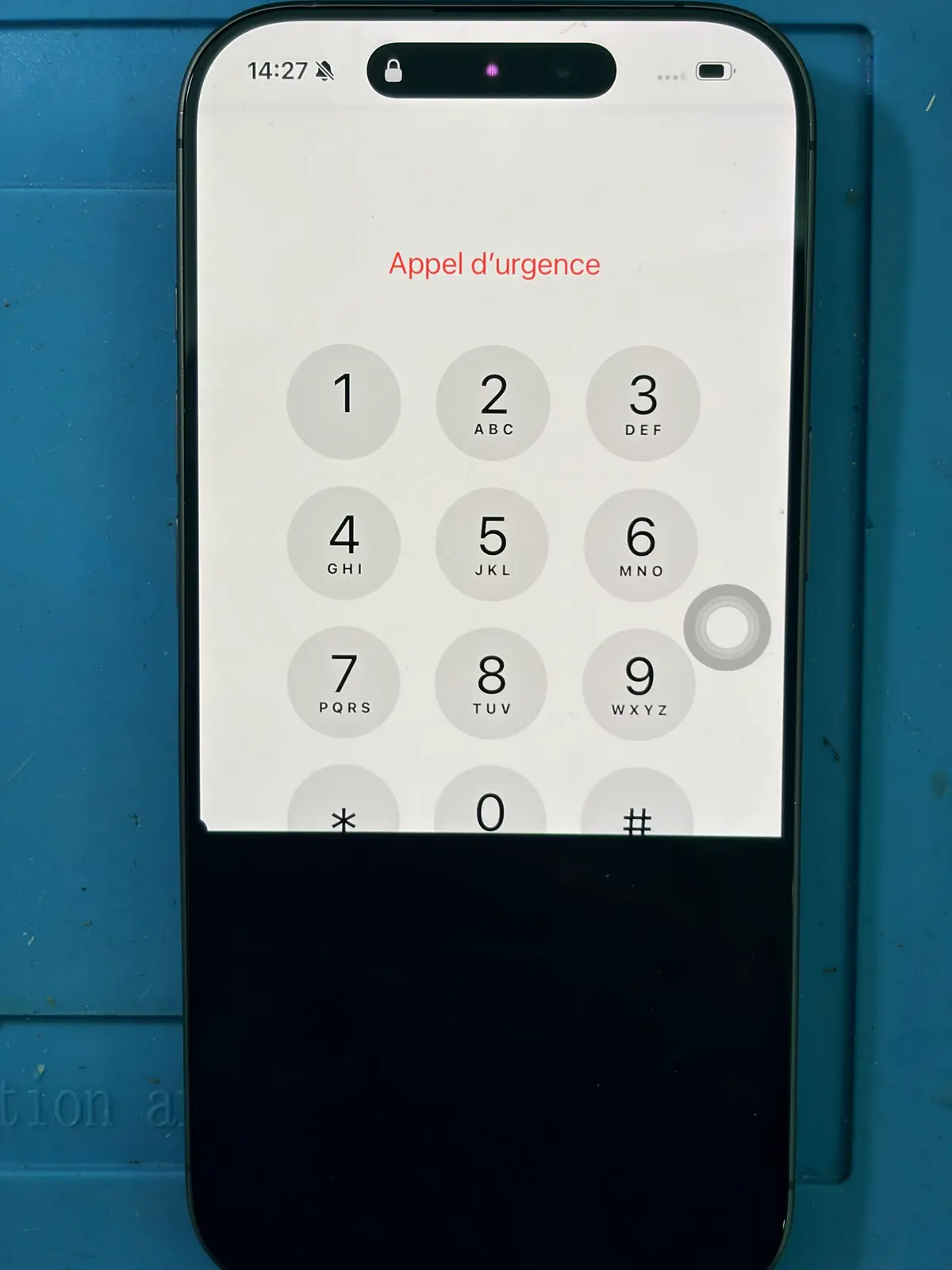
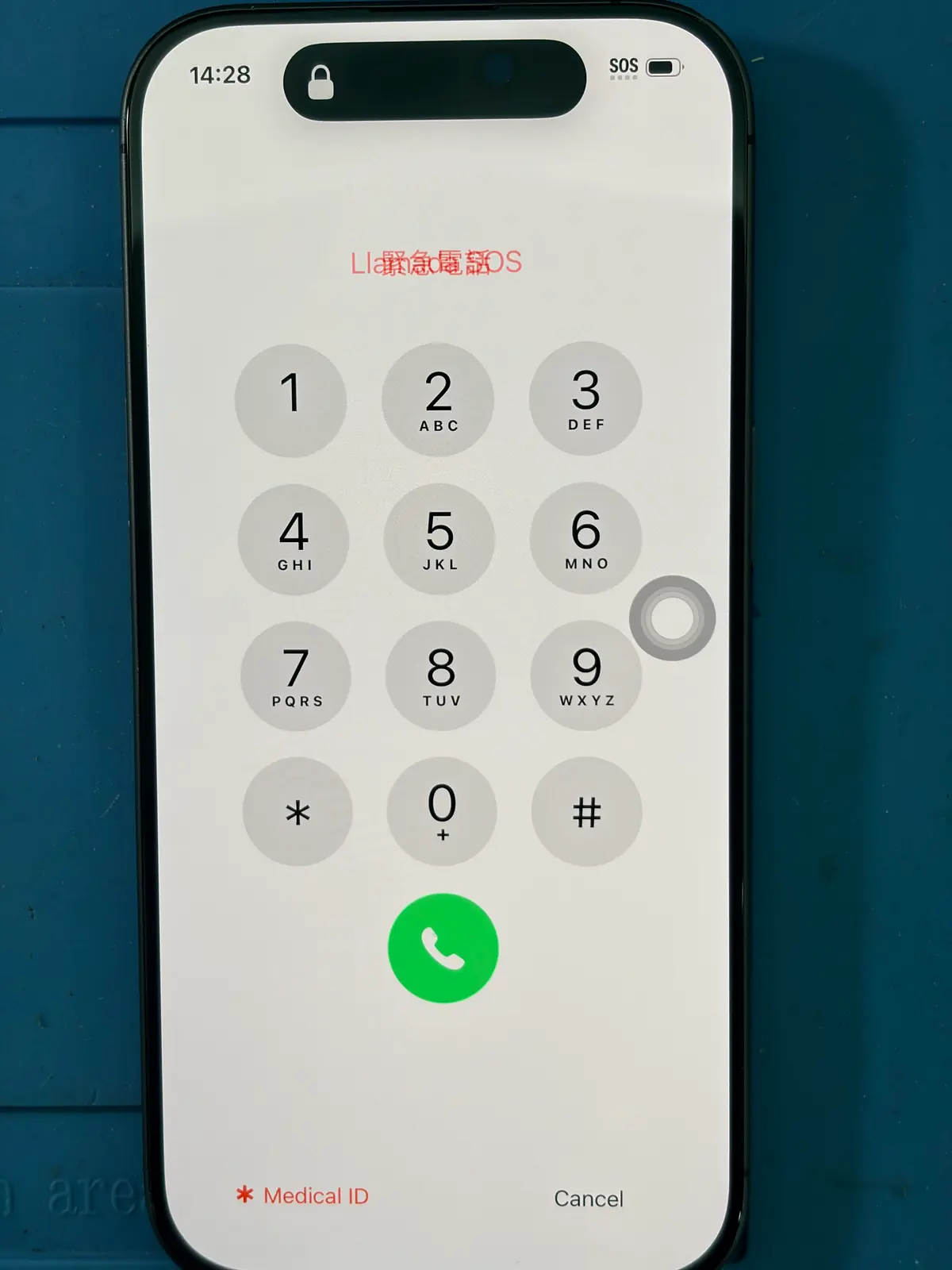
iPhone 17
This iPhone 17 had a partial display failure: part of the emergency keypad remained visible while a large section stayed black. The after photo shows the full display working following screen replacement.
Published catalogue prices
Phone screen replacement price ranges
These compact ranges cover valid published screen-replacement prices across supported models and available grades. Your exact price depends on the model, confirmed fault and replacement option.
Quote-required models are not included. Prices can change with parts and model availability; diagnosis may show that the screen is not the failed component.
Explore screen replacement optionsWhat to expect
Data, timing and warranty
Your Data
Standard screen replacement normally does not require a factory reset.
Ali Mobile does not normally erase photos, apps or other personal data for this repair. Back up important data where possible; data safety cannot be guaranteed for every damaged or liquid-exposed device.
Repair Time
Approximately 30–60 minutes for straightforward screen replacements when the fault is confirmed and the correct part is available.
Model design, further diagnostics, complex damage and parts availability can extend the repair time.
Warranty
6-Month Warranty for eligible completed screen repairs.
Parts and labour warranty terms and exclusions apply. Warranty coverage does not limit rights under Australian Consumer Law.
Practical answers
Black-screen phone FAQ
Can a phone work when its screen is completely black?
Yes. Calls, alarms, sounds or vibration may continue if the phone is running but its display cannot produce an image. Those responses are useful clues, not a complete diagnosis.
Does a black screen always mean I need a new screen?
No. A damaged panel often requires screen assembly replacement, but software, connection, battery, liquid or board-level faults may need a different solution.
Is a loose display connector repair always $35?
No. Ali Mobile usually charges $35 only when a loose display connector is confirmed and reconnecting it restores normal operation. It is not a universal diagnostic fee or a guaranteed fix for every black-screen fault.
Will screen replacement erase my photos and apps?
A standard screen replacement normally does not require a factory reset, and Ali Mobile does not normally erase customer data for this repair. Back up important data where possible because no repairer can guarantee data safety on every damaged or liquid-exposed device.
How long does a phone screen replacement take?
Many straightforward repairs on common models take about 30–60 minutes once the fault is confirmed and the correct part is available. Complex damage, testing, part availability and model design can extend the time.
Is the repair covered by a warranty?
Eligible completed screen replacements include Ali Mobile's six-month parts and labour warranty, subject to the applicable terms and exclusions. This does not limit rights available under Australian Consumer Law.
Ali Mobile & Repair, Ringwood
Need your black screen checked?
Visit us at Ringwood Square Shopping Centre or call 0481 058 514. We will confirm the likely repair path and available options before proceeding.