
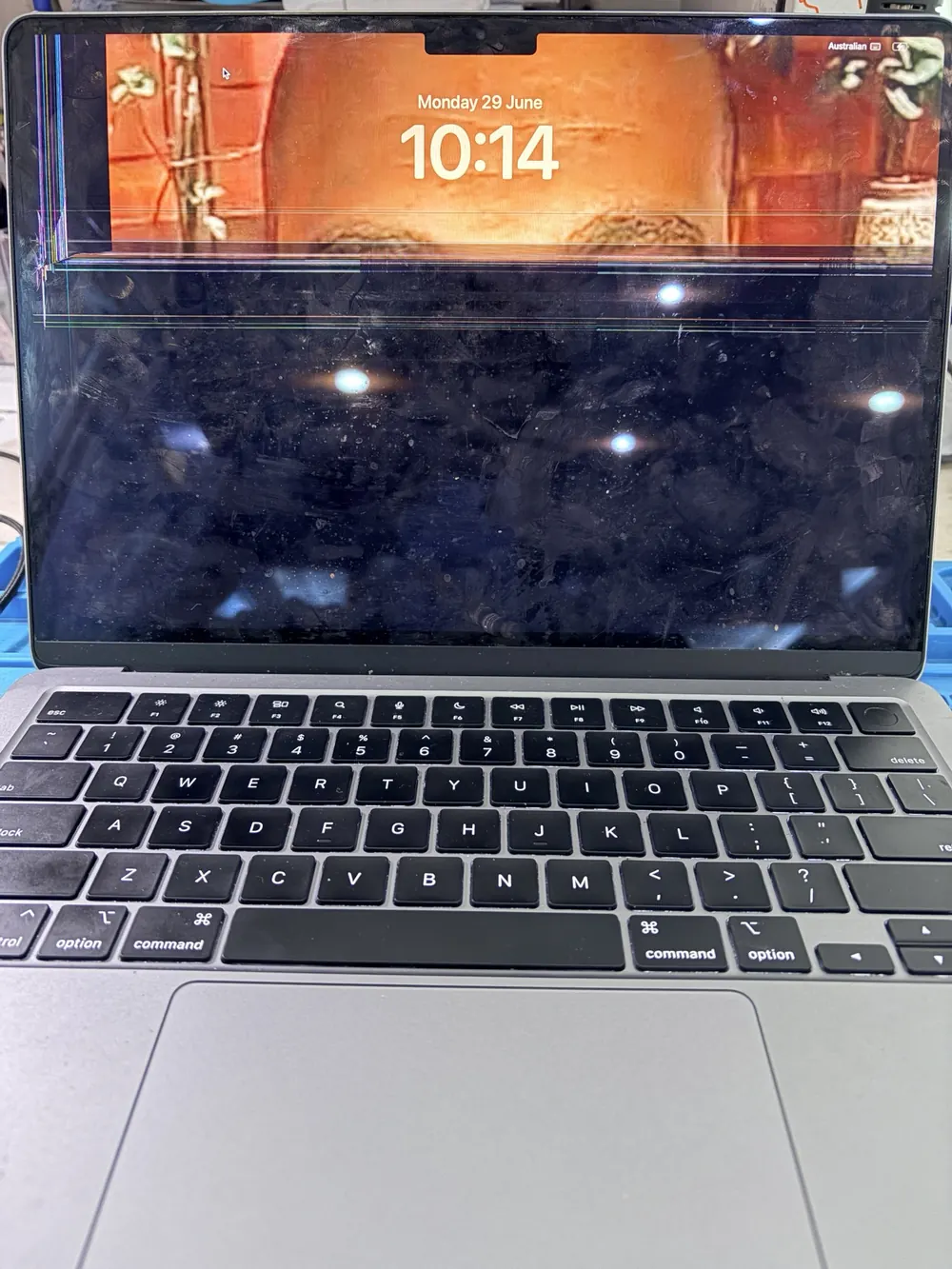
A cracked MacBook screen is obvious, but not every display fault is simple. Lines on the display, flickering, a black screen, dim backlight or an image that only appears at certain angles can each point to a different repair path.
Ali Mobile & Repair in Ringwood checks the exact MacBook model and symptom before recommending screen replacement. That helps avoid ordering the wrong assembly or replacing a display when another fault needs diagnosis first.
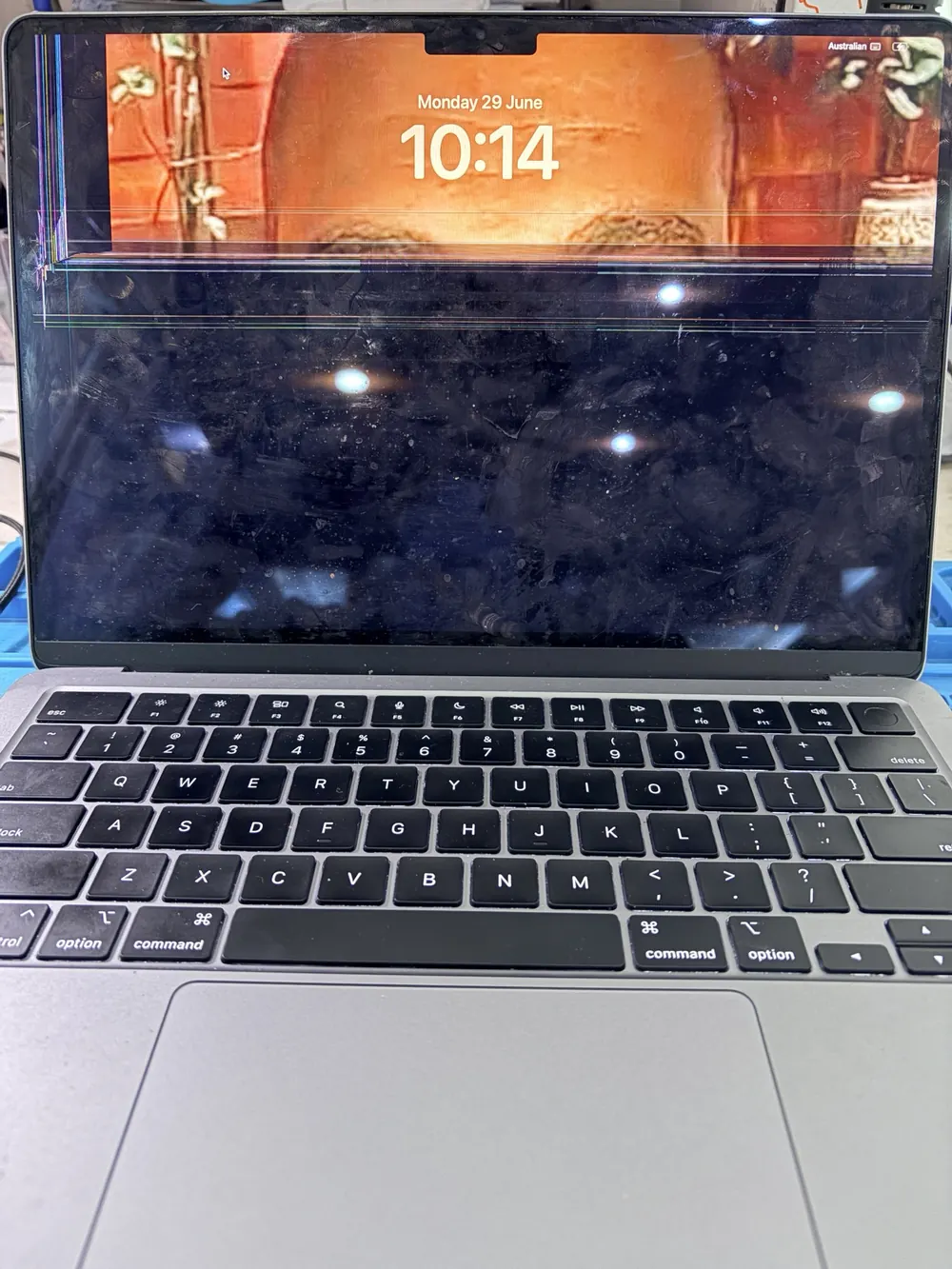 Example repair case: MacBook Air M3 with display lines before screen replacement assessment.
Why exact model identification matters
MacBook Air and MacBook Pro screen assemblies vary by year, size, chip generation and model family. Two MacBooks that look similar from the outside can use different display assemblies.
The A-number and model details help confirm compatibility. You may find model information on the underside of the MacBook, in system settings if it powers on, or from the original device details. If you are unsure, bring the MacBook in and the technician can help identify it before quoting.
This step keeps the quote practical: the repair option, part availability and timing all depend on the exact model.
Symptoms that may not be screen-only
Some MacBook display symptoms need diagnosis before a screen part is ordered.
- A black screen can come from the display assembly, backlight circuit, logic board, power fault or another internal issue.
- A display that changes when the lid moves may involve the screen assembly, display flex or cable path.
- Flickering, dim backlight or lines can be screen-related, but they can also overlap with other faults.
- Liquid damage needs assessment before likely outcomes can be discussed.
Assessment is especially important if the MacBook has been dropped, exposed to liquid, fails to power on, or shows more than one symptom.
Assessment before ordering parts
Blindly ordering a MacBook screen can waste time and money if the issue is not screen-only. The technician checks the model, visible damage, startup behaviour, external display behaviour where useful, brightness response and any signs of liquid or impact damage.
After the likely fault and compatible part path are checked, the quote can be confirmed. Available screen options depend on the exact model and quote, and the suitable part path is explained before repair starts.
For supported models, start with the MacBook repair hub to choose the exact MacBook before booking.
Timing and parts
MacBook screen parts may need to be ordered. Timing depends on the exact model, current part availability, repair queue and final testing. If the correct assembly is not available immediately, the technician can explain the expected ordering path before you approve the repair.
The goal is to confirm the right display part before work starts, not to rush into a replacement that may not match the device.
Testing after repair
After a MacBook screen repair, testing should cover more than whether the display turns on. Checks can include:
- Display output and visible image quality.
- Brightness control and backlight behaviour.
- Sleep and wake behaviour when the lid is opened or closed.
- Camera area checks where relevant to the model and repair path.
- Basic charging, keyboard, trackpad and startup function checks.
If another fault is found during testing, it should be explained before any extra work proceeds.
Data and privacy
Back up your MacBook if it powers on before bringing it in. Normal display replacement does not require browsing personal files, photos or documents. Some functional testing may need customer participation or permission, especially if the MacBook is locked or needs a login to check display behaviour.
If the MacBook has liquid exposure, no-power symptoms or signs of board-level damage, data risk should be discussed as part of the assessment.
Related MacBook repair decisions
Screen symptoms sometimes appear alongside keyboard, trackpad or liquid faults. If your display issue comes with sticky keys, repeating keys or keyboard damage, read our MacBook keyboard and top case guide before deciding what to repair first.
To move from research to assessment, choose your model on the MacBook repair hub, or book a repair and describe the screen symptom clearly.