
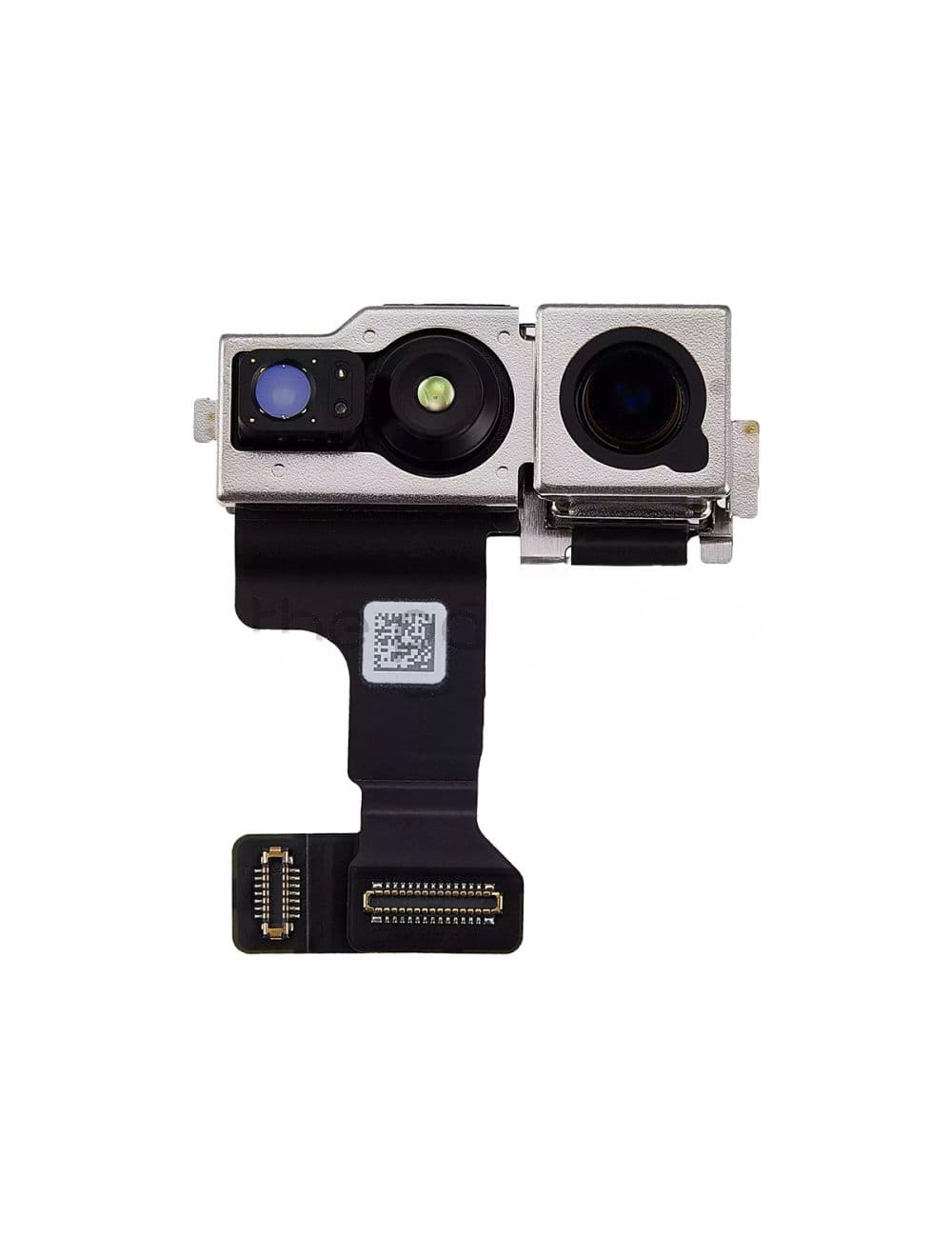
iPhone Face ID Repair After Front Camera Replacement
Face ID problems after a front camera replacement can be confusing. On many iPhones, the front camera, TrueDepth parts, Face ID sensors, flex cables, and mainboard security are closely related. This means a simple camera swap does not always restore Face ID.
At Ali Mobile & Repair in Ringwood, we have worked on Face ID and front camera repair cases across different iPhone generations. The correct repair method depends heavily on the model, the original fault, and whether there is liquid damage, impact damage, previous repair damage, or board-level damage.
Why Face ID can stop working after camera replacement
Face ID is not just a normal front camera function. It uses several related parts and security checks. If the wrong part is installed, if the original sensor group is damaged, or if the repair process is not handled correctly, the phone may show a Face ID error or fail to complete Face ID setup.
This is why Face ID repair should not be treated like a basic camera replacement. It often requires model-specific diagnosis, original parts, and specific repair tools.
iPhone 14 and older: front camera separation can help preserve Face ID
For iPhone 14 and older models, one common case is that the front camera is blurry, damaged, or not working, but Face ID still works before the repair. In this situation, replacing the entire front camera and sensor assembly without care can cause Face ID to stop working.
For suitable cases, Ali Mobile & Repair can perform a careful front camera separation process. The goal is to replace the faulty front camera while keeping the customer’s original Face ID-related components in place.
This is a delicate repair. The parts are small, thin, and easy to damage if the separation is rushed. The advantage of this method is that it can repair the camera issue while preserving the original Face ID function when the original Face ID system was still working before repair.
What if both the front camera and Face ID are already not working?
If both the front camera and Face ID have already failed, the repair becomes more complicated. This is especially common after water damage, heavy impact, or previous repair attempts.
In these cases, replacing the camera alone may not solve the problem. The issue may be related to the flex cable, TrueDepth-related parts, power lines, or the mainboard. We need to inspect the phone first before confirming whether Face ID can be restored.
iPhone 15 series: why we check carefully before giving an answer
The iPhone 15 series is a more sensitive transition generation for this type of repair. Because of the way parts, software, and calibration can interact, we do not give a simple promise before checking the device.
For iPhone 15, the result depends on the condition of the original Face ID system, the front camera module, the flex cables, the board, and whether the phone has had water damage or previous repair work. Some cases can be repaired, but the phone needs to be inspected properly first.
iPhone 16 and newer: more predictable with the right repair process
For iPhone 16 and newer models, our current repair experience has been much more predictable when the correct original part and proper repair process are used.
These repairs still need the right tools and checks. We use specific professional repair tools and original parts where required. We also check for other issues such as liquid damage, damaged flex cables, board faults, or previous repair damage before confirming the repair result.
When there is no unrelated damage, Face ID recovery on iPhone 16 and newer models has been much more stable in our current workshop experience.
Why we do not treat Face ID repair as a simple part swap
Face ID is connected to device security, so every repair needs to be handled carefully. A camera may look like the only failed part, but the actual issue can be deeper.
Before completing the repair, we check the camera function, Face ID status, error messages, flex condition, and any signs of liquid or impact damage. This helps us avoid giving the customer a simple answer when the phone needs deeper diagnosis.
What customers should tell us before repair
- Whether Face ID worked before the camera repair or screen repair.
- Whether the phone had water damage or heavy impact.
- Whether the phone was repaired somewhere else before.
- Whether the front camera is blurry, black, shaking, or completely not working.
- Whether the phone shows any Face ID error message in Settings.
Visit Ali Mobile & Repair in Ringwood
Ali Mobile & Repair is located at Ringwood Square Shopping Centre, Kiosk C1, Seymour St, Ringwood VIC 3134. We help customers from Ringwood, Ringwood East, Mitcham, Croydon, Heathmont and nearby suburbs with iPhone front camera, Face ID, screen, battery, and other phone repairs.
If your Face ID stopped working after a camera replacement, or if your front camera is damaged but Face ID still works, bring the phone to our Ringwood kiosk. We will inspect the model, damage condition, and repair history before explaining the safest repair option.
Need your iPhone checked? Use our Repair Quick Drop-off Form or visit us at Ringwood Square Shopping Centre.
For broader iPhone model guidance, see our iPhone repair options.