
Quick answer
A cracked iPad does not always need the same screen repair
The right repair depends on the exact model, whether the picture still works, how touch responds and whether the frame was damaged. For supported standard iPad 5th–11th Generation models, the listed service is front glass and touchscreen digitiser replacement only. For the supported iPad Air, mini and Pro models below, it is a complete display assembly.
- Standard iPad
- Glass & digitiser only
- Air / mini / Pro
- Full display assembly
- LCD damage
- Separate quote where required
- Price source
- Public POS catalogue
Current catalogue
How much does iPad screen repair cost?
These server-rendered prices come from the existing POS → Storefront public repair catalogue. Invalid or unavailable amounts remain Quote Required; this guide never substitutes a made-up price.
Standard iPad glass and digitiser prices
For the listed standard iPad 5th–11th Generation models, this price covers the front glass and touchscreen digitiser. It does not include LCD replacement. If the LCD has lines, black areas, image loss or other damage, contact the store for a separate quote.
iPad Air, mini and Pro full display prices
The supported models in this table use a complete display assembly service, including the glass, touch layer and display panel. OLED and LCD are different display technologies, so the exact part is always matched to the model rather than calling every panel an LCD.
Each row shows the lowest current valid public price for that model, or Quote Required when no valid amount is published. Prices may change as parts pricing changes. Catalogue snapshot refreshed 14 November 2026.
Repair scope
Glass, digitiser and display construction
The visible crack does not by itself identify every damaged layer.
Standard iPad: separate glass and LCD
On the supported standard models, the front glass and touch digitiser can be replaced while a working LCD is retained. A clear picture with cracked glass may suit this repair after inspection.
If the image also has black patches, coloured lines or no picture, the LCD may be damaged and needs a separate quote.
Supported Air, mini and Pro: laminated assembly
The currently supported models in the full-display table are repaired as a laminated assembly. That assembly combines glass, touch and the display rather than using the standard glass-only path.
Display technology varies by model, including LCD-based and OLED panels. Older Air and mini generations can use different construction, so unlisted models must be confirmed individually.
Fault guide
What common iPad screen symptoms can mean
Similar symptoms can come from different parts, so diagnosis comes before the final quote.
Cracked glass
The outer glass may be damaged while the picture still looks normal. Sharp or loose glass should not be left exposed.
Black screen
A display, connection, power or other internal fault can cause a black screen. Diagnosis is required before a screen is ordered.
Touch not working
Dead zones or failed swipes can point to digitiser damage, but connectors and wider impact damage also need checking.
Ghost touch
Unwanted taps, typing or scrolling can follow digitiser damage, frame pressure or another hardware fault.
Flickering or lines
Unstable brightness, coloured lines or blocked areas often indicate display-panel or connection damage.
Black spots
Ink-like patches or spreading dark areas usually indicate damage below the outer glass.
Screen lifting
A bent frame, poor seating, damaged adhesive or a swollen battery can lift the screen and each needs a different response.
Frame condition
Why bent frames and dented corners matter
A replacement screen needs a clean, level seating surface without ongoing edge pressure.
Before fitting a part, we inspect the display output, touch response and frame condition, including corners pushed inward by impact. Where appropriate and safe, a technician may carefully realign minor distortion or clear obstructing damaged material so the replacement screen is not kept under pressure, forced upward or exposed to avoidable repeat damage.
Severe deformation cannot always be corrected safely. If the frame is structurally compromised, correction risks internal damage, or a screen cannot sit reliably, we explain the limitations and alternatives before work proceeds. Correction may leave cosmetic marks and does not guarantee the original factory shape can be restored.
Workshop photos
Real iPad Screen Repairs at Ali Mobile
These are photos of actual devices at our repair desk. The illustrated image in the page header is separate from these examples.
iPad 7th Generation
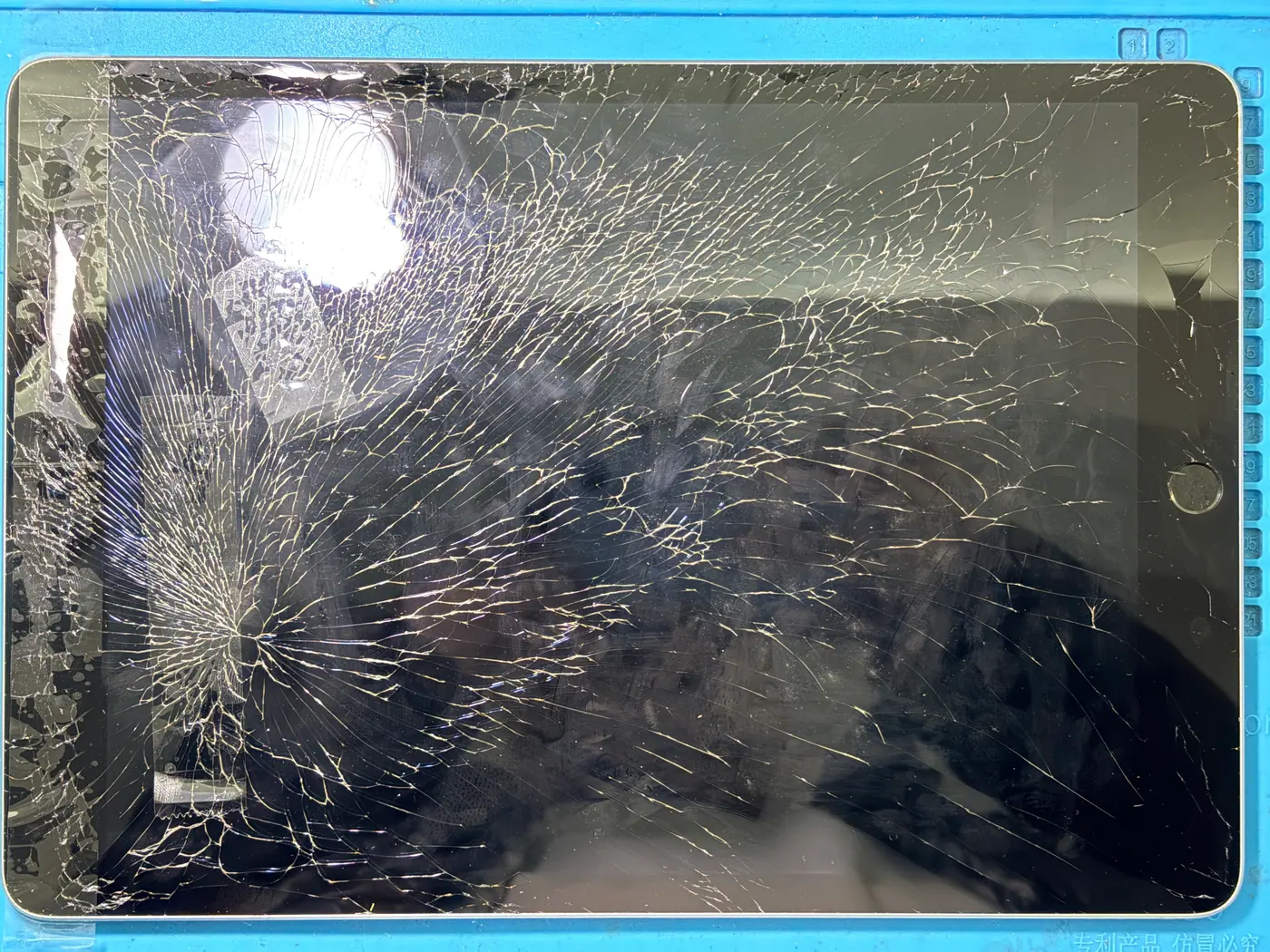
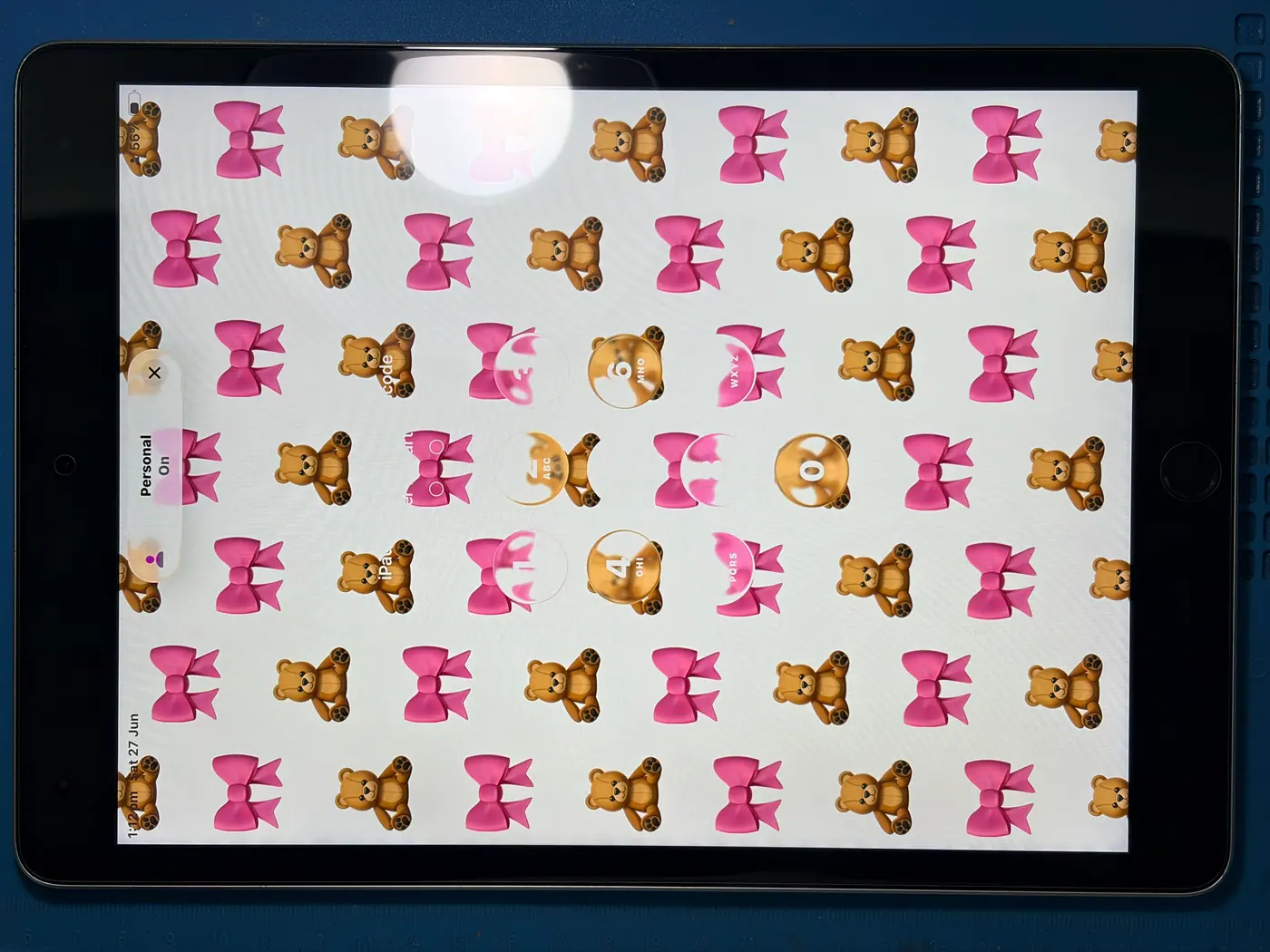
The front glass was extensively cracked before repair. The after photo shows the screen displaying an image again; the photos alone do not establish the LCD condition before repair.
iPad 9th Generation
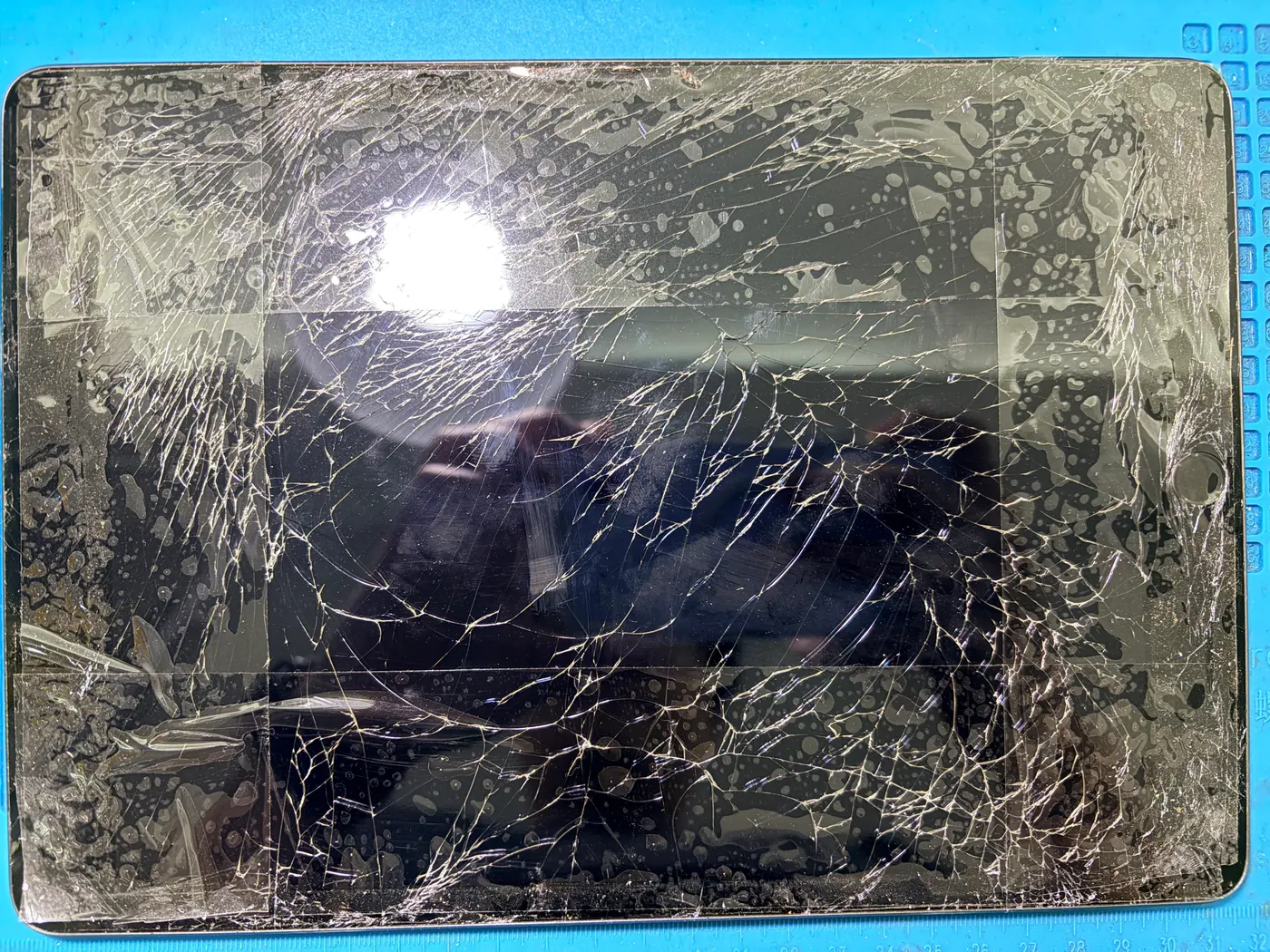
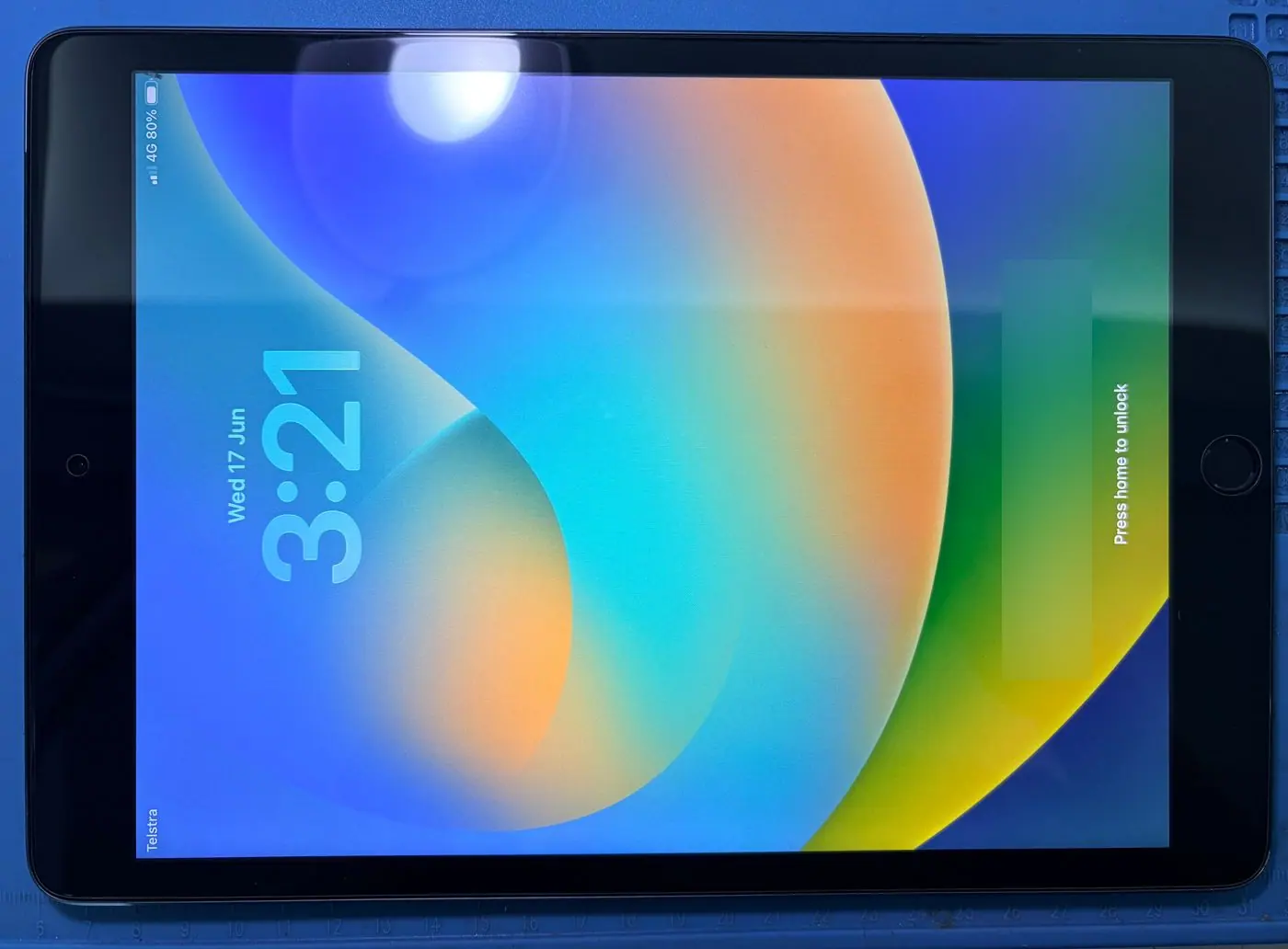
The front surface was heavily cracked. The after photo shows a working display; an unrelated lock-screen notification has been obscured for privacy.
iPad Pro 10.5-inch
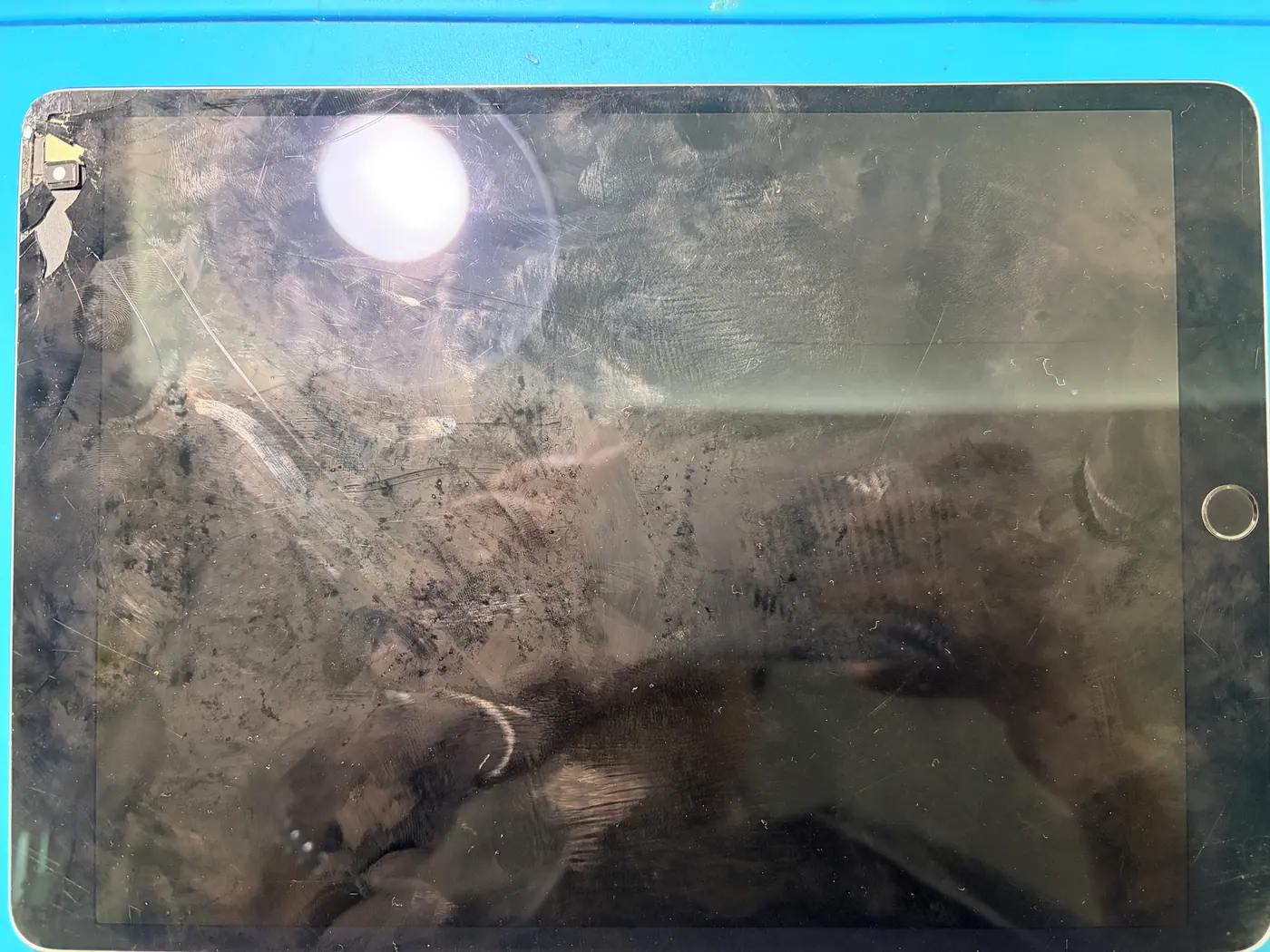
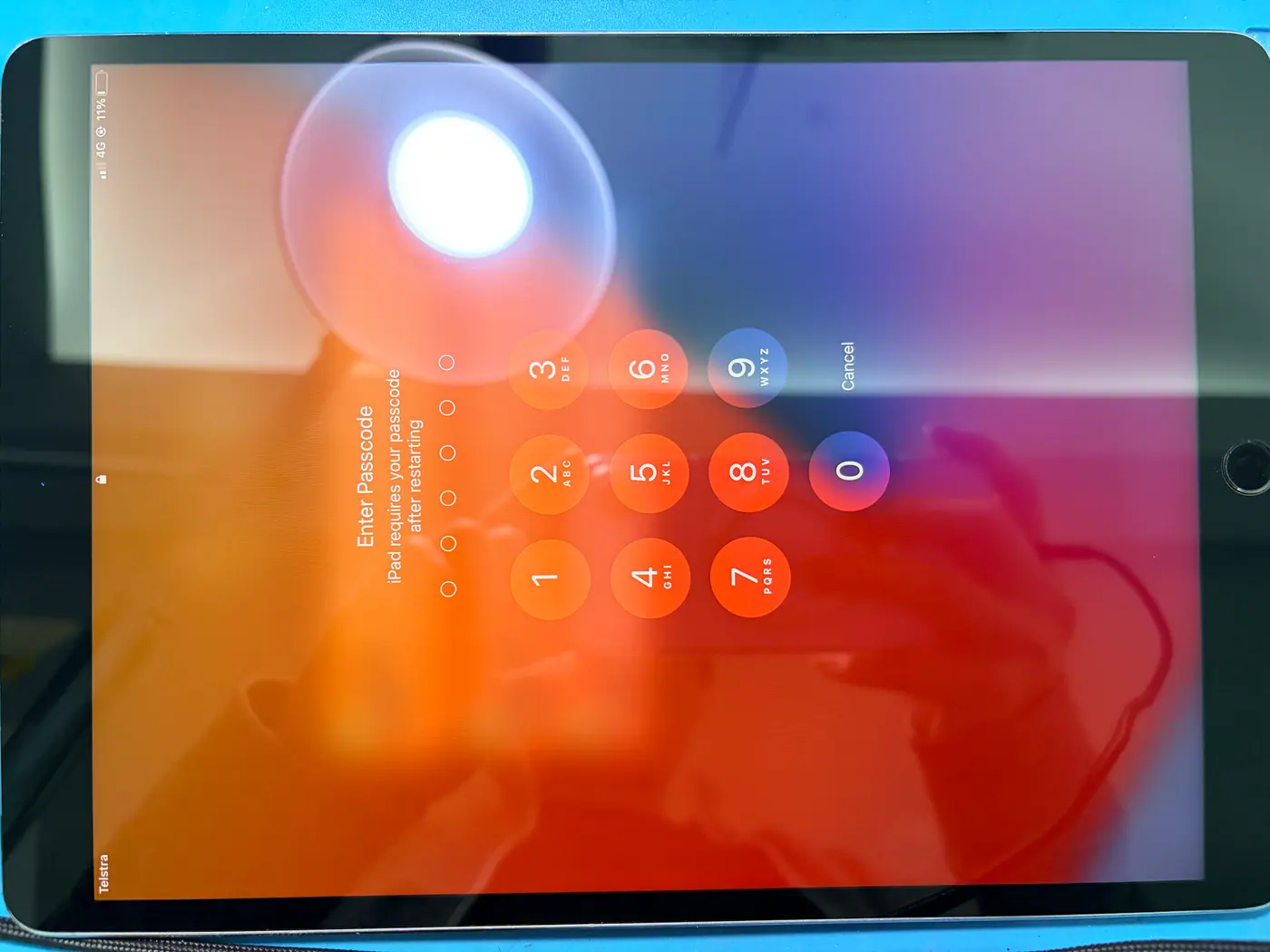
The before photo shows screen damage near the upper edge. The after photo shows a lit replacement screen. This older Pro model is a repair example, not a current public price listing.
Repair time and warranty
Most straightforward iPad screen repairs can take approximately one hour once the correct part is available. Repair time may be longer if the frame is bent, additional faults are found, or extra fitting, adhesive curing or testing is needed.
Eligible iPad screen repairs include a six-month warranty covering the replacement part and workmanship, subject to our repair terms. New drops, external force and liquid damage are outside the ordinary repair warranty. Australian Consumer Law rights still apply.
Workshop process
How Ali Mobile assesses and repairs an iPad screen
The repair scope is agreed after model, screen and frame checks—not from the crack alone.
- Confirm the exact model
We check the family, generation, screen size and A-number where available.
- Inspect display, touch and frame
We test image output, brightness and touch response, then inspect edges, corners, lifting and wider impact signs.
- Confirm repair scope and quote
Glass/digitiser, separate LCD work or a full display assembly is explained before approval, including frame limitations.
- Remove damaged components
The technician opens the device using the appropriate method and protects internal components during disassembly.
- Prepare the seating surface
Old adhesive and debris are removed, and approved minor frame or corner work is performed only where safe.
- Fit and secure the part
The compatible component is aligned without avoidable pressure and secured using the appropriate adhesive and process.
- Test before handover
Display output, touch response, brightness, fit and relevant functions affected by the repair are checked. We confirm aftercare and the applicable repair warranty; extra testing or adhesive curing may extend the turnaround.
Common questions
iPad screen repair FAQs
Model and device condition still determine the final repair.
Can I replace just the glass on my iPad?
On the supported standard iPad 5th–11th Generation models, the published service can replace the front glass and touchscreen digitiser while retaining a working LCD. Supported Air, mini and Pro models use a full display assembly service.
Does standard iPad glass replacement include the LCD?
No. The standard iPad prices in this guide cover the front glass and touchscreen digitiser only. If the LCD has lines, black areas, image loss or other damage, contact Ali Mobile for a separate assessment and quote.
Does iPad Air, mini or Pro screen replacement include the display?
For the currently supported Air, mini and Pro models listed in the full-display table, the service covers the complete display assembly. The exact assembly and display technology still depend on the model.
Can you fix an iPad with black lines or dark spots?
These symptoms can indicate display-panel damage. The display output, connections and device condition are checked before the appropriate repair is confirmed.
Can you repair an iPad with a bent frame?
Minor distortion may sometimes be corrected safely to improve screen fit. Severe bending, structural damage or inward corner damage may make the repair risky or unsuitable, so an inspection is required.
Why is my iPad screen lifting?
Possible causes include frame distortion, damaged adhesive, impact at a corner or internal pressure from a swollen battery. Do not press the screen down; stop using the iPad if swelling, heat, odour or other battery warning signs are present.
Will I lose my data during iPad screen repair?
A standard screen repair does not normally require erasing the iPad. Back up important data first whenever the device is safe and stable enough to use, because unrelated damage can still create data risk.
How long does iPad screen repair take?
Most straightforward iPad screen repairs can take approximately one hour once the correct part is available. Repair time may be longer if the frame is bent, additional faults are found, or extra fitting, adhesive curing or testing is needed. Contact the Ringwood store for a model-specific estimate.
Is there a warranty on iPad screen repairs?
Eligible iPad screen repairs include a six-month warranty covering the replacement part and workmanship, subject to our repair terms. New drops, external force, bending, liquid damage and unrelated faults are outside the ordinary repair warranty. This does not limit rights under Australian Consumer Law.
Ringwood repair desk
Find the right repair for your iPad
Choose the exact model to review current repair options, or book an assessment for LCD damage, touch faults, lifting or frame concerns. You can also compare the broader screen replacement service first.